Rated 9+ by Scribbi families
Ads
Notifications
Open Internet
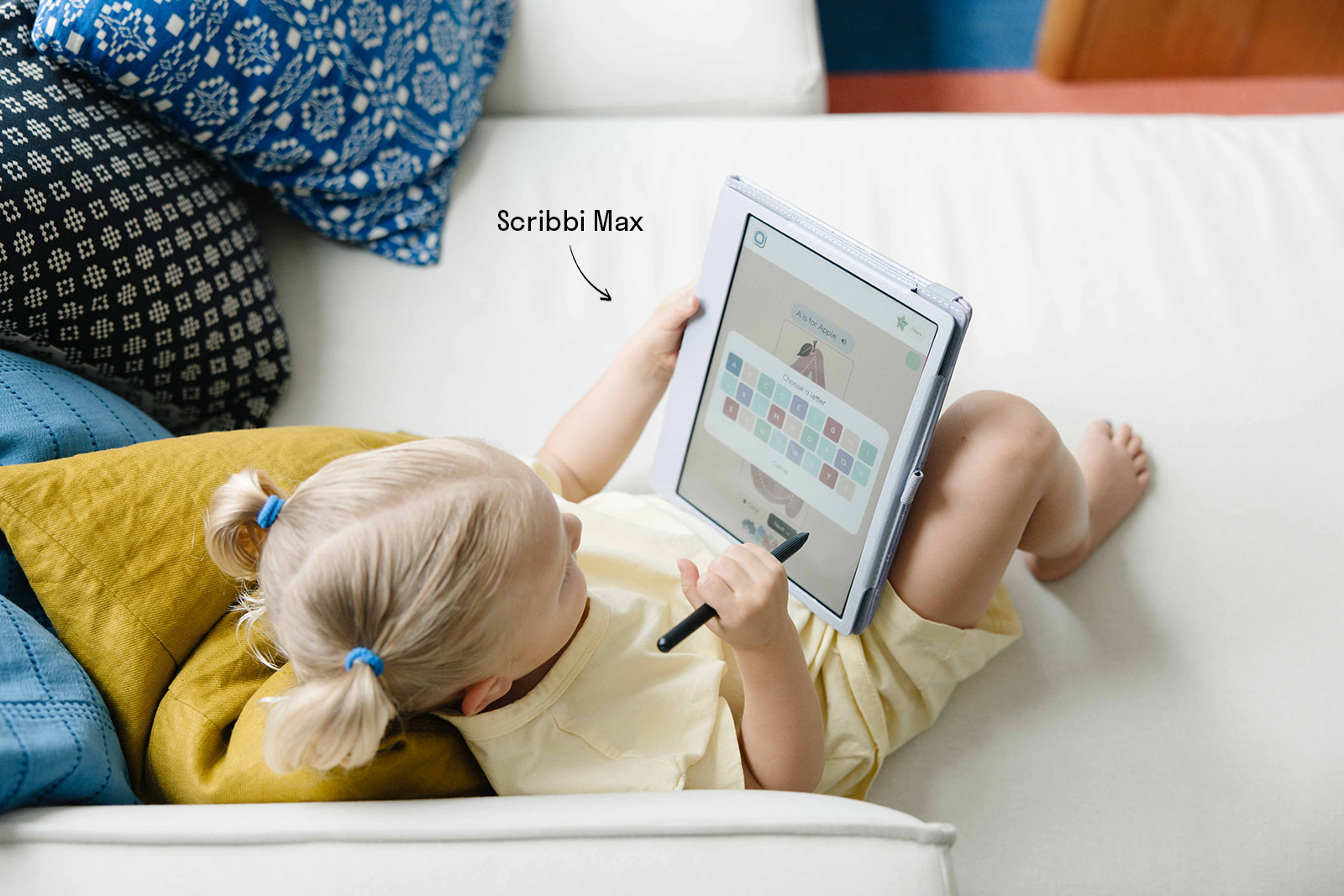
You already know screens aren’t great for your child
But you hand them an iPad because there’s nothing better. And then you feel bad about it. Every time.
Educational apps still live on devices designed to overstimulate. Parental controls help, though kids often find ways around them, and they don’t change what the screen is doing to your child’s eyes, attention, and developing brain.
You’ve been looking for something in between. So were we.

Scribbi is a dedicated E Ink device for kids – built on the same paper-like technology used in Kindle and reMarkable devices.
Your child might trace letters in the morning, work through addition problems before lunch, draw their favorite animal after a trip to the zoo, and plan tomorrow’s activities before bed. They might write and illustrate their own stories, explore countries on the geography app, play a letter-matching game, or practice their name for the hundredth time – because this time, they want to.

Everything is hands-on. Everything involves a stylus. Nothing involves passive scrolling, tapping through content, or watching videos.

There is no internet access. No browser. No YouTube. No app store. No ads. No notifications. When your child is using Scribbi, Scribbi is all there is.

No blue light, so it's gentle on young eyes, even after an hour of use. And when they’re done, they put it down. No tantrum. No negotiation. No guilt.
| iPad | Paper | Scribbi | |
|---|---|---|---|
| Blue light | Yes | None | None |
| Internet access | Full access | None | None |
| Ads & notifications | Yes | None | None |
| App store | Open | N/A | Curated |
| Handwriting recognition | None for kids | None | Yes, patent-pending |
| Designed for children | No | Neutral | Ages 3–10 |
| Adapts to your child | Limited | No | Yes |
| Screen battles | Common | None | None |
Here’s what makes Scribbi different from every other device on the market

Your child writes ‘spider’ with a backwards S. Traditional technology marks that wrong but Scribbi reads every letter.

Our patent-pending handwriting recognition is built for how children actually write – reversed letters, wobbly sizing, developmental messiness and all. No other device can do that.

That’s why every app on Scribbi uses handwritten answers – not tapping, not dragging, not multiple choice. Your child writes by hand, and the device understands them.


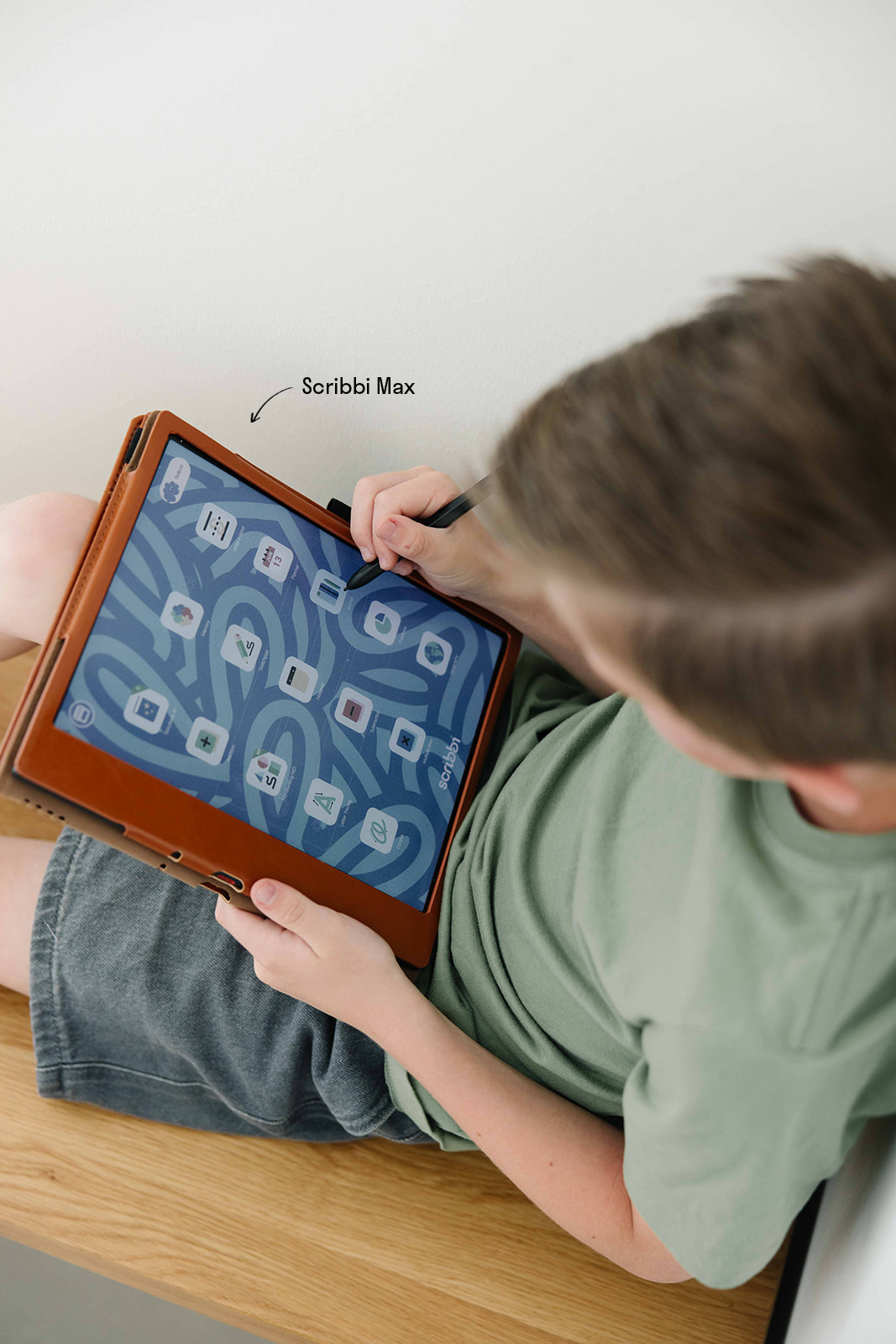
Scribbi comes with a growing library of apps – all curated, all hands-on, all built for young learners.
New apps and experiences are added regularly.

Write and practice
Letter tracing, letter formation, handwriting warm-ups, and independent writing with recognition that meets your child where they are.

Draw and create
Open drawing, creative prompts, and illustrated stories your child writes and draws themselves.

Learn and explore
Math (addition, subtraction, and more), geography, reading activities – all with handwritten answers.

Plan and organize
A simple daily planner your child can write in and check off, building independence and routine.
“Scribbi has helped my son get excited about writing, and that has been difficult for him in the past. It really is just so much about the practice at this age.”
– Scribbi parent
Frequently Asked Questions
What device is this – do you make the hardware?
Scribbi runs on premium E Ink hardware from Onyx International – specifically the BOOX Go Color 7 and BOOX Note Air 5C, used by professionals and academics worldwide for its exceptional writing experience. We chose BOOX because the hardware is the best in its class, and rather than spending years building a device, we focused on what no one else has built: a curated, child-safe learning ecosystem with handwriting recognition designed specifically for young children. When you turn it on, Scribbi launches automatically. Your child sees only the Scribbi environment.
Will my kid actually use it?
Across our first 20 Scribbi families, children used the device regularly and independently – without being asked. Parents rated the experience 9+ out of 10. One parent told us her son, who had always resisted writing, now picks it up on his own. The device doesn’t try to hook your child. It doesn’t need to. When the apps are fun, the writing feels achievable, and the environment is calm, children leave and come back on their own.
What ages is Scribbi designed for?
Children aged 3–10 – the years when handwriting is critical for brain development and when technology habits are first formed.
Can my child access the internet or YouTube?
No. Scribbi is a completely closed system. No browser, no YouTube, no social media, no ads. Wi-Fi runs in the background for updates, but your child cannot access anything outside Scribbi.
Does it work for kids who don’t like writing?
This is exactly what it’s built for. The handwriting recognition understands messy, inconsistent, developmental writing – and when a child writes and is understood, it builds confidence. Scribbi parents consistently reported that reluctant writers became willing ones.
Does it need Wi-Fi?
Full functionality requires Wi-Fi. Basic writing and drawing work offline, and we’re actively expanding offline capabilities.
Is the content created by educators?
Scribbi is advised by specialists in handwriting, brain development, and early education. Apps are developed in-house with educator input, and we’re actively building partnerships to expand expert-informed content.
How is this different from a reMarkable or Kindle?
These devices are built for adults, primarily for note-taking and reading novels. Scribbi is built for children – with educational activities, a child-friendly interface, and handwriting recognition designed for early learners.
How long does the battery last?
E Ink is very power-efficient. With regular use, the battery typically lasts several days, or longer, on a single charge.
Where do you ship?
Currently within the United States and now Canada, as of June 2026.
What’s your return policy?
30-day returns. Send it back in like-new condition for a full refund.
Scribbi is how your child learns to love learning.
No bright screens. No distractions. No guilt. Just your child, a stylus, and a world of educational activities designed to bring back you child’s love of learning.